
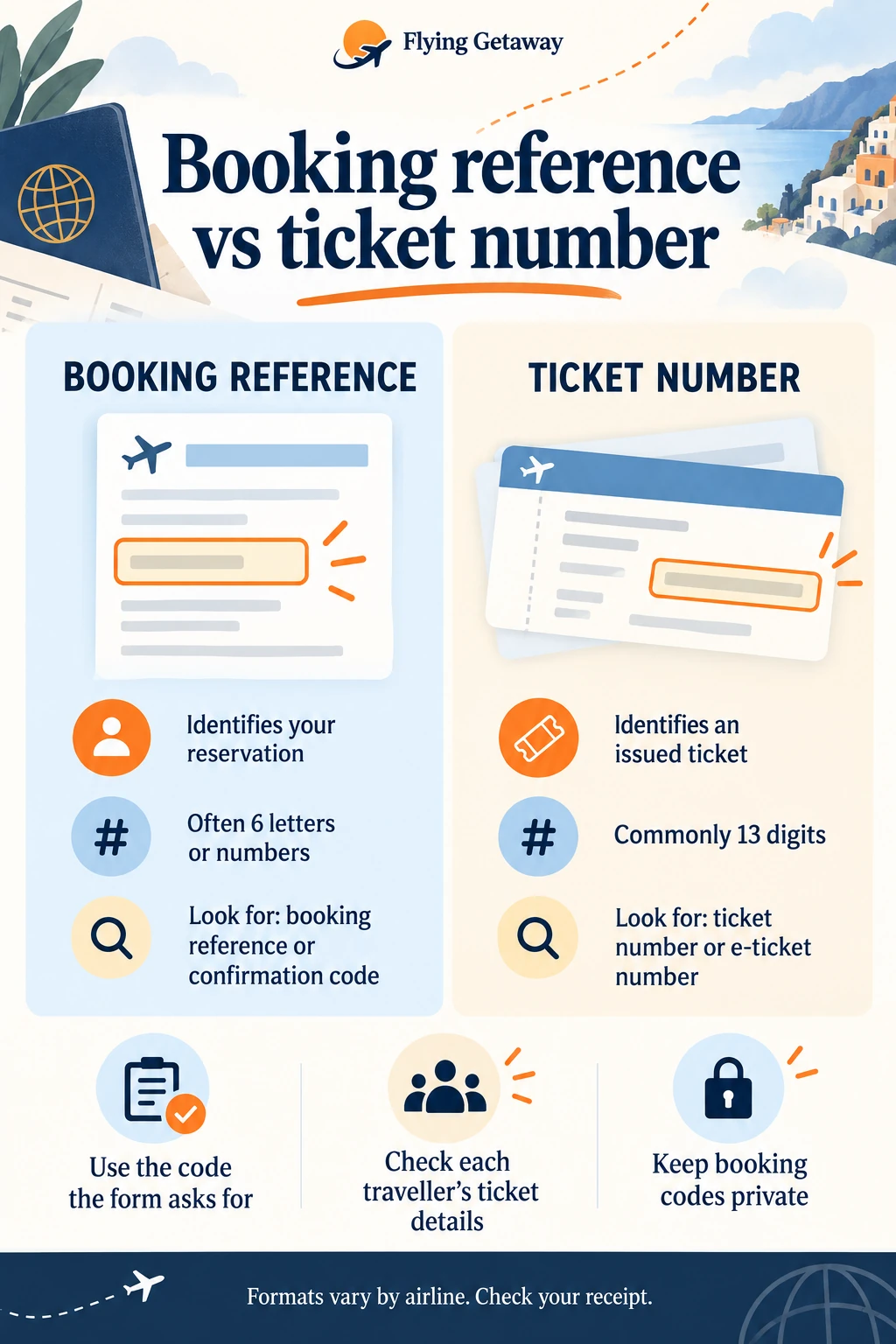
A booking reference identifies your reservation; a ticket number identifies an issued ticket. They serve different purposes, so copying one into a field asking for the other can leave you stuck at check-in. Start with the label on the airline’s form, then find the matching label in your confirmation or ticket receipt.
Is a booking reference the same as a ticket number?
No. Think of the booking reference as a way to find a reservation and the ticket number as a way to identify the travel document issued for a passenger. “PNR” and “record locator” are also terms you may see around reservation details. Your airline or booking agent may use different labels, so do not identify a code by its length alone.
| Detail | Booking reference | Ticket number |
|---|---|---|
| Main purpose | Find the reservation | Identify an issued ticket |
| Typical appearance | Often a short code of letters or numbers | Commonly a longer, 13-digit number |
| Where to look | Booking confirmation or reservation details | E-ticket receipt or ticket details |
| What to check | Which airline or seller the code belongs to | Which passenger and ticket the number belongs to |
For a concrete example, British Airways describes its booking reference as six letters and numbers. Emirates explains that its ticket number has 13 characters, all numeric, while its booking reference has six letters and numbers. Treat those as airline examples, not a rule that every travel document must follow.
Where can I find my booking reference?
Open the original confirmation from the airline or the company you booked with. Look for headings such as “booking reference”, “confirmation code” or “airline reference”. If the email contains several numbers, read the words next to each one before copying anything.
- Search your inbox using the airline name, journey date or destination.
- Open the full confirmation or attached receipt rather than relying on the email subject.
- Keep the airline reference separate from an agency order number, invoice number or payment reference.
- For a booking made through an agent, ask specifically for the airline’s reference if the airline website cannot locate the trip.
Emirates notes that an agent-issued e-ticket can contain another six-character reference usable for its online check-in. That is why two different codes on one confirmation do not automatically mean something is wrong.
Where is the ticket number on an e-ticket?
Look for “ticket number” or “e-ticket number” on the receipt. If you are travelling with someone else, check the passenger name beside the number instead of assuming that the first number on the page applies to everyone. Keep the latest receipt if the booking has been changed.
A bank payment reference is not a substitute for ticket details. If you only have a payment acknowledgement, ask the seller to confirm whether the ticket has been issued and to provide the receipt. Avoid making a second booking just because one document is unclear; first establish the status of the original purchase.

Which number do I use for online check-in?
Use the information requested by the airline’s own check-in page. If it asks for a booking reference and surname, enter those. If it offers a ticket-number option, use the ticket number from your receipt. Do not remove or add characters simply to make a code fit.
For airline-specific steps, see our guide to managing an Emirates booking or Cayman Airways booking and check-in guide. Always check the current airline page for opening times and document requirements.
Why does my booking reference say “not found”?
A failed lookup does not tell you by itself whether the booking is valid or invalid. Work through the simple checks before paying again or assuming your flight has been cancelled:
- Confirm you are on the correct airline’s official website.
- Copy the airline reference, not a seller’s order or invoice number.
- Enter the surname as shown on the booking and check for accidental spaces.
- Check that you are using the latest confirmation after any change.
- If it still fails, contact the ticket seller with the receipt and ask them to verify the booking and ticket status.
If the real problem is a passenger-name error, searching with a different spelling does not correct the ticket. Follow the relevant airline’s correction procedure. Our British Airways name-correction guide explains the questions to check before requesting a change.
How should I keep booking details safe?
Keep a private copy of your confirmation and latest ticket receipt where you can find them during the journey. Avoid posting screenshots containing booking codes, ticket numbers or boarding-pass barcodes on public social media. Call Flying Getaway at +1 (646) 814-6001 for best airlines discounts and deals.
Frequently asked questions
Is a PNR a ticket number?
Usually, PNR is used in connection with the reservation record or its reference. It is not another name for the ticket number. Check the precise label used by your airline.
Can I find my ticket using only a payment reference?
The seller may be able to investigate a payment, but a payment reference is not the code an airline booking form normally asks for. Request the airline reference and ticket receipt from the seller.
Does a booking reference prove my ticket has been issued?
Do not rely on the code alone. If the confirmation does not clearly show ticket details, ask the issuer to confirm ticketing before you make further travel arrangements.
Should I share my booking reference when asking for help?
Provide it through the verified airline or seller’s private support channel when needed. Leave it out of public reviews, comments and social posts.
Sources
British Airways: finding your booking reference
Emirates: tools and resources FAQs
Airline examples checked on 15 September 2026. Labels and online forms can change.

Patrick Walker is the travel brain behind Flying Getaway. With a knack for spotting flight deals and a passion for exploring new skies, he helps travelers fly smarter and save more with every trip.